Showing posts with label Portable. Show all posts

CDBurnerXP Pro v4.4.0.2905 Portable


CDBurnerXP is a free application to burn CDs and DVDs, including Blu-Ray and HD-DVDs. It also includes the feature to burn and create ISOs, as well as a multilanguage interface. Everyone, even companies, can use it for free. It does not include adware or similar malicious components.
download

AoA Audio Extractor Platinum 2.3.0 Portable

Link
An affordable all-in-one digital audio application that bundles the tools you’re most likely to need the most often. It incorporates an audio extractor; a converter that handles not only common file types like MP3, WAV, AVI, and WMV, but also less common types like OGG and iPhone Ringtone; a sound recorder; a voice changer; and even karaoke. Audio Extractor: Extract audio tracks from AVI, MPEG, MPG, FLV (Flash Video), Youtube, DAT, WMV, MOV, MP4, 3GP video files and save them as MP3, WAV, iPhone Ringtone, WMA and AC3 formats.

download

Avlan Design Animated GIF Producer 5.1 Portable


Avlan Design Animated GIF Producer 5.1 Portable | 2.1 MB
Animated GIF Producer is a quick and remarkably easy-to-use tool for creating various animations, buttons and banners that will make your website shine. You no longer need to spend money on complex video processing platforms that will take you a couple of days to learn how to make a simple GIF animation. With Animated GIF Producer, there’s no complexity and GIFs can be created in a few minutes.

Key features:
- Support for AVI, MPG, MPE, MPEG video formats;
- A built-in snapshot capture facility;
- Support for BMP, JPEG, TIF, GIF, PNG, ICO, PCX, CUR and Windows Metafiles image formats;
- Import frames from other GIF;
- Resize frames (stretch);
- Multiple animation output settings;
- Define GIF-files global parameters: screen size, background color, delay;
- Define offset for each separate image;
- Set forward and backward images order;
- Apply transition effects for images;
- Import image from clipboard;
- Duplicate images;
- Reordering images;
- Save images of GIF-file as a set of common graphic formats;
- Export an AVI file; - Process the images and execute effects (for the current image or all images at once): crop, resample, rotate and flip images horizontally or vertically.
download

PDF Decrypter Pro 3.20 Portable


PDF Decrypter Pro 3.20 Portable | 7.23 MB

PDF Decrypter Pro can be used to decrypt protected PDF files, which have "owner" password set, preventing the file from editing (changing), printing, selecting text and graphics (and copying them into the Clipboard), or adding/changing annotations and form fields. PDF decrypt is being done instantly.

Decrypted file can be opened in any PDF viewer (e.g. Adobe Acrobat Reader) without any restrictions --- with print / copy / edit functions enabled. All versions of Adobe Acrobat are supported.

PDF Decrypter Pro does not rely on any other third-party software, of course Adobe Acrobat and Reader are NOT required.

Key Features
- Support Windows 98, ME, NT, 2000, XP, 2003, Windows Vista and Windows 7.
- Remove the security settings from your encrypted PDF file is instant.
- Support PDF1.8 format (formerly only supported by Acrobat 9.0 application).
- Support including 40-bit RC4 decryption, 128-bit RC4 decryption, AES decryption, compressed files and unencrypted metadata.
- Decrypt protected Adobe Acrobat PDF files, removing restrictions on printing, editing, copying.
- Support drag and drop PDF files.
- Full install / uninstall support.
download

MiniTool Power Data Recovery 6.6 Portable


MiniTool Power Data Recovery 6.6 Portable | 22.63 MB

Power Data Recovery is a read-only File Recovery Software and Data Recovery Software. Power data recovery software could help you recover all your data no matter the data is lost by accidental deletion, format, re-partition, system crash or virus attack. Power data recovery is able to scan your device sector by sector to recover what ever left on your device. Power Data Recovery provide deep scan module which can scan and analyze raw data format including Microsoft Office files, digital graphics/pictures, audio/video files. Please visit deep scan page for complete raw file format list.

Feature overview
• Recover data after accidental deletion
• Recover data after an accidental format
• Recover data from an inaccessible volume (logical drive)
• Recover data after FAT corruption
• Recover data after repartition (fdisk)
• Recover data from a crashed physical device
• Recover data after an MBR corruption
• Recover data from a hard disk drive, camera card, USB drive, Zip, floppy disk
• Recover data for any error except physical damage

Key Features
• Supports FAT 12/16/32
• Supports NTFS
• Supports NTFS compressed and encrypted files
• Supports Dynamic Volume including Simple Volume, Spanned Volume, Stripe Volume, Mirror Volume and Raid Volume.
• Supports RAW data recovery
• Built-in preview function
• Built-in resume recovery function
• Built-in Recovery Wizard

OS : Win XP/2000/Vista/Win 7
Language : English
download

Q-Dir 4.72 ML Portable


Q-Dir 4.72 ML Portable | 1.22/1.22 Mb

Q-Dir makes your files and folder easy to manage. Fast and easy access to your hard disks, network folders, USB-Stiks, floppy disks and other storage devices. Q-Dir i a good file manager with an amazing Quadro-View technique. You don't have to renounce the usual, Drag and Drop, all Views, and other functions of your system. No! Q-Dir gives you other nice functions, that make you happy. One can save many hand moves and also time!

Q-Dir does not have to be installed and can be executed easily from the desktop, and can be carried on a small usb-stick or other memory device. Start the program. The first time that you use it the program it will present you with a license screen. The program is free and the license info is only displayed the first time (per PC).

download

Videomizer 1.2.11.800 Portable


Videomizer 1.2.11.800 Portable | 22.35 MB

Application for automated video image processing, optimizes home- and other videos and converts formats! In the past months we were asked time and again whether the Photomizer technology could not be used for videos as well.
Videomizer Highlights:
- Automatic object recognition: manipulates only those frame parts, which help optimize the overall impression!
- Fully automatic re-adjustment of tonality, re-sharpening and contrast optimization!
- Touching-up of images through higher definition and re-sharpening of matt colours!
- Fully automatic system for hue control and saturation, white balance and bright/dark correction.
- Elimination of fog and other weather influences and undesired colour casts.
- Adjustment options for resolution, bit rate and frame rate as well as audio attributes (channels, bit rate, sample rate)
- Picture size optimization to eliminate black bars, among others Stretch and Pan & Scan
- High-quality scaling filters, among them Lanczos and the extremely efficient ODU
- Video cut and real time preview (dual view for direct comparison)
- Supported input formats: DVD-Video, AVI, WMV, MP4, 3GP, MPG, TS and more
- Supported output formats: AVI, MPG, MP4 and WMV, among others with profiles for iPod, iPad, Android, PlayStation Portable and other devices.
- Fully automatic batch mode for automated manipulation of several videos in a row!
- Additional option for manual optimization!
- The HDR-simulator helps to create amazingly HDR-similar modifications. HDR is known from photography and serves for creating high dynamic range images. You require, however, three images of the same subject with three different exposures. The VideoMizer creates a similar effect for your videos although it has to do with just one image per unit of time.
- The scaling optimization, another distinctive feature of the program, guarantees that your videos are most efficiently shown on a certain display. If for example you have a portable media player like the Apple iPod, your videos are automatically adjusted to its display attributes for full screen mode - without disturbing black bars!
download

FotoMix v8.5.5 Portable


FotoMix v8.5.5 Portable | 1.74 MB

FotoMix - the latest version of the universal program that will allow you to easily mix and manipulate different photos, creating montages, change the background and much more. The results will surpass all expectations, it is almost impossible to guess that you conducted with any photo manipulation.

Features:
Remove, add or change the background.
* Add or remove your not very close with your photos.
* Attractive design collages, illustrations, wallpapers, CD and DVD covers, and miscellaneous Web graphics.
*Create photo montages, combining multiple images into a unique image with a retrospective birth relics, weddings, anniversaries, etc. All this is possible is very simple.
*Once your creations, you can print them, send them to friends or transfer them to t-shirts, mugs, calendars, etc. Make the most of your photo collection! Play with it. Explore the possibilities. You will love this class
download

NBMonitor Network Bandwidth Monitor 1.2.2.0 Portable


NBMonitor Network Bandwidth Monitor 1.2.2.0 Portable | 2.13 MB

NBMonitor tracks your Internet bandwidth (upload and downloads) usage, monitors all your Internet, it shows all the active connections you have to the Internet at any given moment and also the volume of traffic flowing through them. NBMonitor displays real-time details about your network connections and network adapter's bandwidth usage. Unlike others, it shows process names initiated network connections and allows you to set filters to capture only the traffic you are interested in. As a number of ISP-s are now disconnecting customers for using -too much- bandwidth, knowing exactly how much you-ve downloaded or uploaded in a given month can be very helpful.
Features:
- Network bandwidth monitoring
- Internet bandwidth monitoring
- Views network traffic usage in real-time
- Multiple network connections monitoring at a time
- Network traffic reporting
- Process monitoring initiated network connections
- Monitors and analyzes the network traffic
- Records and exports network connections activity
- No extra drivers needed
- Small, easy to use, and accurate
download

Firefox 7.0 Beta 1 Portable

Mozilla Firefox - faster, more secure, easier to use and sporting a new look, this latest Firefox release sets a new standard for web browser innovation. Three key goals for Firefox 4: Making the browser faster, building up support for more powerful web standards like HTML5, and giving users full control over their online identities on the social web. That last one in particular is good news to us, as we’ve often advocated that identity belongs in the browser. Mozilla has been experimenting with different identity management techniques for the past year or so, and it’s good to see the company treating user identity as a primary “top 3" feature. The whole web is social now, and it’s time the user agent starts really acting as the user’s agent.

Mozilla Firefox is focused on improved memory handling, performance, and stability, improved XUL, and new core components such as application data stored in SQLite. Mozilla Firefox could break a few existing extensions and applications built on top of Firefox, and it will definitely include new optimizations if you like to build on the popular browser. Mozilla Firefox should have additional javascript and SVG features if you're into that sort of thing.

Features in Firefox include:
- Easy migration: Switching to Firefox has never been easier now that Firefox imports data like Favorites, history, settings, cookies and passwords from Internet Explorer. Firefox can also import settings from Mozilla 1.x, Netscape and Opera.
- New Default Theme: A new default theme provides a bright new look for Windows and Linux users.
- SmartUpdate: A new SmartUpdate feature notifies users of new versions of Firefox to ensure that the browser is always up to date.
- Help: A new online help system makes this one powerful, friendly browser.
- Extension/Theme Manager: New Extension and Theme Managers provide a convenient and secure way to manage and update the hundreds of add-ons that set Firefox apart from other browsers.
Mozilla Firefox also includes numerous bug fixes and incremental improvements, including faster page load speed.
- Popup Blocking: Stop annoying popup ads in their tracks with Firefox's built in popup blocker.
download

Wireless Network Watcher v1.20 Portable


Wireless Network Watcher v1.20 Portable | 1.09 MB

Wireless Network Watcher is a small utility that scans your wireless (or small wired) network and displays the list of all computers and devices that are currently connected to your network.For every computer or device that is connected to your network, IP & MAC addresses, the company that manufactured the network card, and optionally the computer name are all listed.

What's new: >>

•Added 'Put Icon On Tray' option. When it's turned on, icon of Wireless Network Watcher is added to the system tray of Windows.
•Added 'Tray Balloon On New Device' option. If it's turned on, Wireless Network Watcher displays a tray balloon when a new device is detected.

System Requirements: Win2K / WinXP / Vista / Win7
download

JAM Software TreeSize Professional 5.5.1.780 Portable


JAM Software TreeSize Professional 5.5.1.780 Portable | 7.04 MB

TreeSize Professional is a powerful and flexible harddisk space manager for Windows 200X/XP/Vista/7. Find out which folders are the largest on your drives and recover megabytes on your disks. TreeSize Professional shows you the size, allocated and wasted space, the number of files, 3D charts, the last access date, the file owner and permissions, the NTFS compression rate and much more information for several folders or drives you choose. It also lets you search drives, entire servers or the entire network for old, big, temporary and duplicate files.

FEATURES:
* Visually Track down disk usage and see the size of all folders including their subfolders and break it down to the file level.
* Several exporting and reporting possibilities: Printed report (showing the directory structure), Excel, HTML, XML, text file, clipboard.
* The integrated fully customizable file search helps you to find and archive the largest, oldest, obsolete and temporary files, e.g. invalid shortcuts or files owned by a non existant account.
* You can search multiple drives, entire servers and even your entire network neighbourhood. The search results can be exported, moved or deleted.
* Duplicate file search, optionally with MD5 checksums
* Statistics about file types and file owners on directory level.
Additionally it is possible to filter the file system tree on the left to a certain user or file type
* TreeSize Pro is able to save the data to an XML file and to load it again later.
* A saved XML file can be used to compare it against the current version of the file system branch.
The difference between the two scans will be displayed and makes it easy to see which folders have grown.
* Support for Unicode file and folder names.
* The visible columns can be configured separately for the TreeSize Pro window, Excel export, HTML Export, Text export and printed reports.
A lot of optional columns are available.
* TreeSize Pro ships with a shell extension for Windows 2000/XP/2003 that adds an additional TreeSize column to the Windows Explorer that is showing the size not only for files but also for folders.
* High performance through Multithreading: Browse the results during scanning, scan and view several folders at the same time, automatic adjustment of the number of threads that are used for a scan.
* Include and exclude certain files and folders in your scans
* Print the contents of a directory, including all files and the corresponding icons.
* Several Command line options allow scheduled and overnight scans of your hard disk. An integrated wizard helps to set up scheduled scans.
* A list of all files in the scanned folder and its subfolders can be exported, for example for use in a database.
* Support for the file based NTFS compression, hard links and Alternate Data Streams (ADS)
* Explorer context menu is supported inside the TreeSize window.
download

Ashampoo GetBack Photo 1.0.0 Portable


Ashampoo GetBack Photo 1.0.0 Portable | 5.1 MB

Losing valuable photos that are full of memories can happen easily. The loss of digital photo can have different reasons. Among these are for example that pictures are deleted accidentally, a memory card is faulty or was deleted, the file system is corrupted or photos that are integrated in a PDF or Word document is deleted together with the document.

With Ashampoo GetBack Photo the loss of digital pictures does not have to be forever. The program enables a quick recovery of photos from different storage devices, for example memory cards, smart phones, or USB hard disk drives.

The pictures are easily recovered in just a few steps. At first all deleted photos are found quickly with the effective and save search feature. In the next step the photos can be selected in a thumbnails overview, in order to have Ashampoo GetBack Photo recover them afterwards.

After selecting the photos they are not decoded and saved repeatedly, but the original image data are kept, in order to avoid quality loss. Not only the actual photo is recovered, but also metadata, e.g. EXIF or IPTC, if present.

Ashampoo GetBack Photo supports all common file formats. These include JPG, PNG, BMP, PSD, TIF, GIF, HDP, APCDOC, PCD and many current RAW formats, e.g. Canon Raw 2, Adobe DNG, Nikon NEF etc.

Ashampoo GetBack Photo will help you recover any lost pictures easily!

Here are some key features of "Ashampoo GetBack Photo":

· Recovery of deleted or damaged digital photos
· Scan of all present storage devices in the system
· Pictures might even be found, after a storage device was formatted
· Metadata, e.g. EXIF or IPTC, can also be recovered
· All common file formats, e.g. JPG, PNG, BMP, GIF and RAW, are supported
· File formats such as PDF and Word can also be scanned for photos
· Recoverable photos are displayed in a thumbnails overview
download

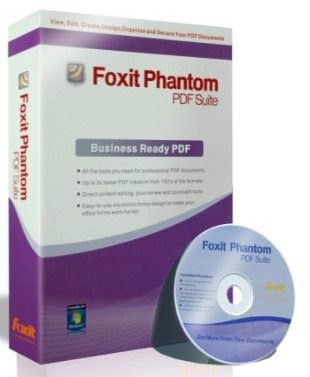
Foxit PhantomPDF Business v5.0.1 Portable


Foxit PhantomPDF Business v5.0.1 Portable | 71 Mb

The PDF Solution Alternative That Businesses Are Looking ForMany businesses need more than just PDF creation and editing. They need security that ensures regulatory compliance and corporate governance of their important documents and archives and to ensure documents don't change after they are approved. It is essential to have a robust PDF solution that stands up to the demands of large enterprises but lightweight enough to easily deploy to thousands of users without exhausting resources. These businesses require Foxit PhantomPDF Business; it supports the right features at the right price with the quality and support you expect from an enterprise solution.

Business Ready PDF – Robust and Secure
Foxit PhantomPDF Business builds upon the capabilities of PhantomPDF Standard and PhantomPDF Express. It enables quick and easy creation of professional looking PDF documents, highlighting and annotation capabilities, advanced editing capabilities, and high end security to safeguard sensitive information.

Foxit PhantomPDF™ Business 5.0 Features & Benefits

Small and Fast
Up to 3 times faster PDF creation than competitor tools.
Only requires 700 MB of hard drive space.
Launch speed is fast.

Create industry-standard compliant PDF files from any printable file
Support over 200 of the most common office file types
One click button within Microsoft® Office®, including Word, Excel®, and PowerPoint® to convert documents to PDF documents.
Save time by converting multiple files to PDF files. Also convert many files into one PDF document or into individual PDF documents
PDF/A support ensures digital PDF document remaining readable, render-able, and accessible for long-term archiving.
Selectable PDF specification from 1.3 to 1.7 makes your created PDF files compatible with different PDF viewers.

Redaction
Let's you permanently remove (redact) visible text and images from PDF documents to protect confidential information such as social security numbers.

Microsoft® Active Directory® Rights Management Service Protector and Policy Manager
Extends the usage control benefits of Microsoft® Windows Server® Active Directory® Rights Management Service to all your PDF documents
Allows the author the control of document features within each PDF such as who has permission to read and write to a file.

XFA Form Filling
XFA (XML Form Architecture) form filler is used to fill forms with XFA elements, allowing you to leverage existing XFA forms.

Advanced Editing
Allows you to modify any page contents in any PDF documents, select, insert, change, remove, rotate, copy and paste text, images, graphics and shadings.

Document Certification
Indicates you approve of its content and allows you to specify the types of changes that are permitted for the PDF to remain certified.

High compression of scanned documents
Greater compression means smaller file sizes, which takes up less storage and makes it easier to distribute electronically.

Perform OCR Text Recognition
Make your scanned or image-based PDF documents selectable and searchable avoid recreating documents or retyping text.

Scan documents directly to PDF file
Streamline workflow by converting paper contracts, agreements, and other documents to electronic PDF files.
Scan and convert in one step.

Add Header & Footer to PDF files
Insert page numbers or dates as Headers and Footers directly without requiring other applications; helping you to add more information into the PDF files and navigating them with ease.

Add Watermark & Background to PDF files
Watermark can indicate the status of created PDF files, such as Draft or Confidential.
Background makes your PDF documents rich and professional.

Edit and modify PDF contents
Quickly edit document content and correct mistakes right in a PDF file.
Add text to your PDF document as necessary.

Review PDF documents
Add your comments or suggestions including notes.
Highlight, underline, or use one of many other tools to indicate selected text.
Indicate the status of PDF document or hint the reviewer where to sign with Stamp.
Easily correct mistakes by cancelling the last actions and quickly add back in changes made with Redo & Undo features.

Compare PDF documents
Highlight the differences between two PDF documents to help you identify what has been changed quickly and easily.

Organize PDF pages
Re-organize PDF pages without using or reverting to the documents native application.
Add, delete, or combine pages from multiple PDF files to create new PDF documents.
Easy to change PDF page order by simply dragging and dropping page thumbnails.
Streamline your workflow by inserting scanned documents directly into your PDF document.

Design and fill-out electronic forms
Convert your current forms into electronic PDF forms.
Easy to use forms design tools make your PDF documents more interactive.
Create and manage digital signature fields, to help PDF's author add blank signature fields for reviewers to sign.
Collect the data your company needs from customers, partners and employees easily without the cost of re-keying.
Reduce paper handling.
Extend document-based processes to better engage with customers, partners, constituents, colleagues, etc.

Protect PDF documents with passwords and certificates
Control access to PDF documents.
Protect sensitive PDF documents to prevent loss of valuable company assets.
Enhance security when sending and receiving PDF files.

Control PDF document usage such as printing, changing, content extraction
Manage PDF usage permissions for individual documents within or without your organization current IT structure.

Add digital signatures to PDF documents
Streamline business processes typically requiring paper-based or in-person collaboration by enabling digital signatures on your PDF documents.
Enhance security by instituting identity authentication.
Automatically check for unauthorized content changes.

Set document information
Help to categorize, archive, index and search your huge PDF files with ease.

Optional database connectivity to Windows ODBC
Developers gain increased customization options and data accuracy via javascript access to information databases.
Developers can create document level-scripts to connect to a database for the purposes of inserting new data, updating information, and deleting database entries.
download

HdClone 4.0.6 Free Portable


HDClone creates physical or logical copies (clones) and file images of hard disks and other mass storage media. HDClone is a perfect tool for backups and copies of entire software or operating system installations. A special 'SafeRescue' mode makes HDClone an invaluable tool for rescuing defective hard disks and other media. HDClone works independent of partitioning scheme, file system, and operating system. It also works with proprietary formats which otherwise would be unaccessible.

The Free Edition of HDClone clones an entire hard disk to another, larger medium. Use it for migrating an existing installation to a new hard disk or for rescuing data. The Free Edition is real freeware without obligation to buy and is intended for the short-term usage at no cost. In case of more frequent usage, we recommend using one of the higher editions since they offer higher performance, support for a wider range of hardware, and additional options which are optimized for regular or professional use.
download

Driver Magician Lite 3.77 Portable


Driver Magician offers a professional solution for device drivers backup in Windows operating system. It identifies all the hardware in the system, extracts their associated drivers from the hard disk and backs them up to a location of your choice. Then when you format and reinstall/upgrade your operating system, you can restore all the "saved" drivers just as if you had the original driver diskettes in your hands. After one system reboot, your PC will be loaded and running with the required hardware drivers.

* Back up device drivers of your computer
* Restore device drivers from backup in one mouse click.
* Detect unknown devices.
* Get detailed information of the hardware drivers.
download

STDU Converter 2.0.103 Portable


STDU Converter 2.0.103 Portable | 3.8 Mb

Convert DjVu to PDF by two clicks.Convert only pages, which you need. Rotate pages before convert. Add your own bookmarks in the result's document.

Simple to Use

STDU Converter is easy to use. You need only select your DjVu or TIFF file and push button "Convert".

>>> Choose only pages which you want to convert.
You can select pages which you want to convert. You can rotate some pages, if you need.
>>> Create your own content in result's documents
You can create your own tree of content in the result's document. DjVu is a computer file format designed primarily to store scanned images, especially those containing text and line drawings PDF is used for representing two-dimensional documents in a device-independent and display resolution-independent fixed-layout document format.
download

Format Factory 2.70 Multilingual Portable


FormatFactory 2.70 Multilingual Portable | 61.95 Mb

The multipurpose converter of various files of multimedia. Has it is glad the additional functions transforming FormatFactory in the universal tool for work with multimedia files of different formats. Converting of popular video formats in MP4, 3GP, MPG, AVI, WMV, FLV, SWF, and also converting of audioformats in MP3, WMA, MMF, AMR, OGG, M4A, WAV is supported. In FormatFactory there is a function of transformation of images in formats JPG, BMP, PNG, TIF, ICO, GIF, PCX, TGA. Among additional possibilities FormatFactory is such, as increase and rotation of images, assignment by it ?????, and also restoration of the damaged audio and video files.

Format Factory is a multifunctional media converter.
Provides functions below:
All to MP4/3GP/MPG/AVI/WMV/FLV/SWF.
All to MP3/WMA/AMR/OGG/AAC/WAV.
All to JPG/BMP/PNG/TIF/ICO/GIF/TGA.
Rip DVD to video file , Rip Music CD to audio file.
MP4 files support iPod/iPhone/PSP/BlackBerry format.
Supports RMVB,Watermark, AV Mux.

Format Factory's Feature:
1 support converting all popular video,audio,picture formats to others.
2 Repair damaged video and audio file.
3 Reducing Multimedia file size.
4 Support iphone,ipod multimedia file formats.
5 Picture converting supports Zoom,Rotate/Flip,tags.
6 DVD Ripper.
7 Supports 50 languages

download

Focus Photoeditor 6.3.4 Portable


Focus Photoeditor 6.3.4 Portable | 38 Mb

Focus Photoeditor 6 is a powerful, easy-to-use image editor, that can be used to improve and correct all kind of digital photos and to produce graphics for the web, the home and the office. You can acquire digital pictures from file, from other applications, or with the help of a scanner or a digital camera and start to work with them immediately. Try the different automatic improvement functions and correct your photos in a matter of seconds. With its many image regulation abilities, that improve the pictures appearance, without loosing any quality, Focus can be used as a strong and professional tool by both beginner and advanced photographers.

Main features:
»»» Loads fast, letting you immediately start to edit your pictures
»»» Does not eat up memory: memory consumption does not grow with the number of layers or the number of files opened
»»» Supports over 100 digital camera RAW formats
»»» Has the best set of Automatic Photo Corrections you could ask for
»»» Uses High Quality photo correction algorithms, which are also finely tuned
»»» Has a very easy to use Batch Processor with undo capabilities
»»» Supports powerful ways of creating Selections and has separate undo history for them
»»» Features great control over precise editing
»»» Provides many options to save and export files (optimized size and preview for all formats)
»»» Has a very comfortable picture browser: lets you rotate, make backup copies, copy & paste, print picture files in a sheet
»»» Offers many extras, like a web-album builder
»»» Improved interface
»»» Added support for newest cameras
»»» Improved speed of several editing and displaying operations
»»» Added some photo corrections and improved existing ones
»»» Added "Auto Crop"
»»» Paint Engine was improved, now follows the mouse movements more smoothly and precisely
»»» Improved "Quick Fix" correction
»»» Added Automatic and Manual "Dynamic Range" Correction
»»» Corrected many bugs
»»» Improved many other features

Download

Advanced Installer Enterprise 8.2 Build 35753 Portable


Advanced Installer Enterprise 8.2 Build 35753 Portable | 35.08 MB

Advanced Installer is a Windows Installer authoring tool which enables developers and system administrators to easily build reliable MSI packages. Advanced Installer is a useful tool for administrators and developers which allows them to create reliable MSI packages.

Windows Installer is becoming the "de facto" software installation technology on Windows. Being preinstalled on the latest Microsoft operating systems, and also bundled with the most popular productivity packages (Office, etc.) this software installer provides a significant number of power features that improve application management and administration.
This power doesn't come without pitfalls, and the most important of them all is the complexity. Creating an MSI file requires careful planning and editing of dozens of database tables.
Hundreds of pages of documentation must be read, countless lists of rules must be followed. Building a Windows Installer package may take days or even weeks. This is where a MSI creation tool comes to help.

*Advanced Installer makes MSI creation a snap
*Advanced Installer integrates in automated build tools
*Install and register the resources composing your application
*Search, download and install Prerequisites
*Organize your application in modules and components
*Secure and choose your package's presentations
*Extend the installation process with Custom Actions
*Customize the installation User Interface

OS : Win XP/2000/Vista/Win 7
Language : English/Russian
download

Subscribe via email

Enter your email address:

Delivered by FeedBurner

My Blog List

  • KAMERA OUTDOOR HIGH RESOLUTION 540TVL MURAH Spesifikasi: Pick up Element : 1/3" Sony color CCD image sensor Number of Pixel : 512(H) x 492(V) / 512(H)...
  • Men's Health - July 2011 (UK) English | PDF | 212 pages | 67.1 Mb download
  • *Cisco AnyConnect Secure Mobility Client v3.0.0611 | 11 Mb* The Cisco AnyConnect Secure Mobility Solution provides a comprehensive, highly secure enterprise...
  • Suara kamera di hp nokia sangat mengganggu, pengen narsis tapi gak nyaman dilihat orang..he2..apalagi kalo foto di mall, kampus, WC dll.......kkkkkk silahk...